 By February, the “new year glow” has worn off.
The inbox is still full.
Meetings are still multiplying.
You’re still doing too much with too little time.
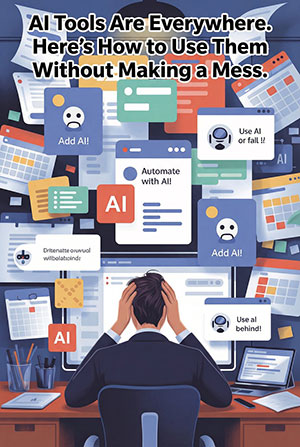
And everywhere you turn, AI is waving its arms at you.
Every app seems to be shouting some version of:
“Add AI!”
“Automate with AI!”
“Use AI or fall behind!”
Meanwhile, you’re thinking the most reasonable thought possible:
Okay… but where does this actually help my business — and how do I make sure it doesn’t blow up in my face?
That’s the right question.
Because AI right now is basically the new intern everyone hired without training.
Interns can be incredibly helpful.
They can also accidentally email the wrong thing to the wrong person if nobody sets boundaries.
Same deal with AI.
Used well, it saves time and reduces busywork.
Used poorly, it leaks data, confuses teams, and creates expensive “oops” moments.
Let’s talk about how to do this the sane way.
Three AI Uses That Actually Save Time in a Small Business
- Inbox Triage and First-Draft Replies
If your email inbox feels like a landfill, AI can help you sort through it.
What AI is good at:
- Scanning long email threads
- Pulling out key points
- Drafting a reasonable first response
- Flagging messages that need attention
What AI is not good at:
- Understanding your client relationships
- Picking up on nuance
- Making judgment calls
- Sending the final message
The safe workflow is simple:
AI drafts. A human approves.
You reduce typing time without handing the steering wheel to a robot.
Real-world example:
A small professional services firm used AI to draft responses to common client questions — status updates, scheduling, FAQs. The owner stopped writing everything from scratch and saved 30–45 minutes a day. That’s 10–15 hours a month back. Not flashy. Just useful.
- Meeting Notes That Turn Into Action
Meetings themselves are annoying.
What’s worse is what happens after them.
AI note tools can:
- Summarize discussions
- Pull out decisions
- Create action lists
- Assign owners
- Produce clean recaps people will actually read
The payoff is fewer “Wait… what did we decide?” moments, better follow-through, and less time rewriting notes no one looks at anyway.
If your team runs regular client meetings, project check-ins, or weekly ops calls, this is one of the easiest wins.
- Simple Reporting and Forecasting
Most business owners don’t lack data.
They lack time to interpret it.
AI can help summarize trends, highlight anomalies, and turn raw numbers into plain English.
Think of it as a sorting machine — not a crystal ball.
AI doesn’t replace your judgment.
It gives you a clearer dashboard so you can use that judgment without digging through spreadsheets for an hour.
The Guardrails: How to Use AI Without Doing Something Dumb
This is where most small businesses get burned.
They start treating AI like a search engine and casually paste in things that should never leave the building.
Here are the guardrails that prevent most AI-related disasters.
Rule #1: Never Paste Sensitive Data Into Public AI Tools
That includes:
- Customer personal information
- Payroll or HR data
- Medical or legal records
- Passwords or access keys
- Internal financials
If you wouldn’t be comfortable seeing it on the front page of the internet, it doesn’t go into AI.
Rule #2: Control Who Can Use What
“Shadow AI” is exploding — employees signing up for random AI tools with company data because they want to be efficient.
Good intent. Bad outcome.
You need:
- A short list of approved tools
- Clear rules about what data can be used
- Extra restrictions for sensitive roles like HR, finance, and legal
Rule #3: AI Drafts, Humans Decide
AI is excellent at first passes.
Humans own the final output.
AI makes things up — confidently and fluently. Anything that goes out under your brand gets human approval. No exceptions.
Rule #4: Assume Everything You Type Is Stored
Public AI tools may store inputs or use them for training. Even if they say they don’t today, the data still lives on someone else’s servers.
Act accordingly.
Rule #5: When in Doubt, Ask
If someone isn’t sure whether something is okay to paste, the default answer is “don’t” until they’ve checked.
Make it easy to ask.
Make it safe to ask.
Five rules. Simple enough to fit on an index card. Strong enough to prevent most messes.
What AI Done Right Actually Looks Like
In real businesses, AI success usually looks boring — and that’s a good thing.
One or two time-wasting processes get improved.
Rules are set.
Results are measured.
Expansion happens slowly.
Not a massive “AI transformation.”
A practical upgrade.
The businesses pulling ahead aren’t chasing every new tool.
They’re the ones who set guardrails early and experimented safely.
How an MSP Keeps AI Helpful Instead of Risky
This is where many owners quietly want support.
You don’t want to:
- Research fifty AI tools
- Guess which ones are safe
- Write policies from scratch
- Discover six months later that client data has been pasted into a free AI app
A good MSP helps by:
- Recommending tools that fit your industry and compliance needs
- Locking down access and permissions
- Setting AI rules people will actually follow
- Integrating AI into workflows instead of adding clutter
- Monitoring for shadow AI and risky behavior
So AI saves time — without creating new headaches.
Where Does Your Business Stand?
If you already have AI guidelines and your team knows what’s okay to share, you’re ahead of most small businesses.
If you’re not sure what your team is pasting into AI tools right now, that’s worth finding out — before something sensitive ends up somewhere it shouldn’t.
And if you know a business owner overwhelmed by AI hype and worried about getting it wrong, send them this article. It could save them an expensive lesson.
Because the real question isn’t whether your team is using AI.
It’s whether they’re using it safely.